

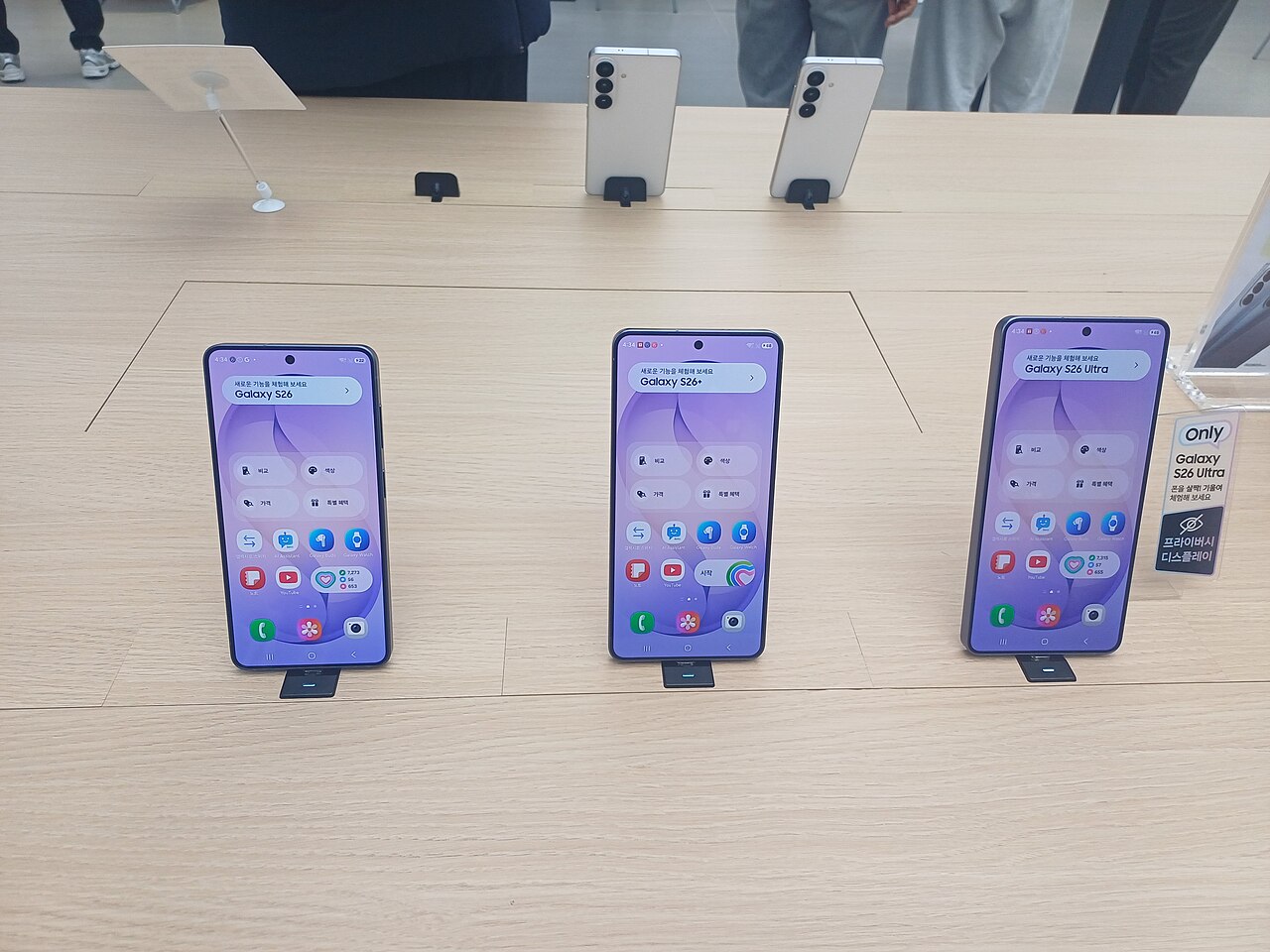
Galaxy S26 Android 17 is here as Samsung begins the stable One UI 9 rollout. This update promises new features and improvements for users.
What’s New in One UI 9?
The latest update for the Galaxy S26 brings the much-anticipated Android 17, featuring the new One UI 9. This upgrade introduces several enhancements aimed at improving user experience and overall device performance.
Among the notable features of One UI 9 are:
- Refined User Interface: One UI 9 offers a sleeker design with optimized app icons and smoother transitions, making navigation more intuitive.
- Enhanced Multitasking: Users can now enjoy improved split-screen functionality, allowing for better productivity when using multiple applications simultaneously.
- Privacy and Security Updates: The update enhances security features, including new permission settings that give users more control over their data.
- Camera Improvements: One UI 9 enhances the camera experience with new features, including advanced night mode and enhanced AI capabilities for better photo quality.
- Performance Boost: The Galaxy S26 benefits from system optimizations that improve speed and battery life, ensuring a smoother overall experience.
With these updates, the Galaxy S26 running Android 17 and One UI 9 stands out as a compelling choice for users looking for a simple yet effective upgrade.
How to Update Your Galaxy S26
Updating your Galaxy S26 to the latest Android 17 with One UI 9 is a straightforward process. Follow these simple steps to ensure you get the best experience from your device.
- Connect to Wi-Fi: Before starting the update, make sure your Galaxy S26 is connected to a stable Wi-Fi network. This will prevent any data charges and ensure a faster download.
- Check Battery Life: Ensure your device has at least 50% battery life or is plugged in during the update process to avoid interruptions.
- Navigate to Settings: Open the Settings app on your Galaxy S26. Scroll down and select Software update.
- Download and Install: Tap on Download and install. Your device will check for available updates. If Android 17 is available, follow the prompts to download and install it.
- Restart Your Device: Once the installation is complete, your Galaxy S26 will restart automatically. This final step will ensure that all new features of Android 17 and One UI 9 are fully implemented.
After the update, enjoy exploring the new features and improvements that come with the Galaxy S26 and Android 17.
User Reactions to Android 17
With the recent rollout of Android 17 for the Galaxy S26, user reactions have been predominantly positive. Many users have taken to social media platforms to express their satisfaction with the new features and enhancements that come with One UI 9.
Feedback highlights several key areas where users feel the upgrade has made a significant impact:
- Performance Improvements: Many users report smoother performance and faster app launches, attributing this to the optimizations included in Android 17.
- Enhanced Customization: The new interface allows for more personalized settings, enabling users to tailor their devices to better fit their preferences.
- Battery Life: Users have noted an increase in battery efficiency, with some claiming their devices last longer on a single charge after the update.
- New Features: The introduction of new widgets and tools has excited users, particularly those who enjoy enhancing their productivity with their Galaxy S26.
While some users experienced minor bugs, Samsung’s commitment to regular updates is reassuring. Overall, the transition to Android 17 has been viewed as a simple yet effective upgrade for Galaxy S26 users, enhancing their experience with One UI 9.
Performance Improvements with One UI 9
The recent rollout of Android 17 for the Galaxy S26 has brought significant performance improvements, thanks to the enhancements included in One UI 9. Users can expect a more responsive experience, with faster app launches and smoother transitions between tasks.
One of the highlighted features of One UI 9 is its optimized resource management, which allows the Galaxy S26 to allocate system resources more efficiently. This results in:
- Reduced app loading times: Applications now start quicker, enhancing overall usability.
- Improved multitasking: Users can run multiple applications simultaneously without experiencing lag.
- Better battery life: The new software optimizes background processes, contributing to longer usage times.
Moreover, One UI 9 introduces enhanced graphics performance, making gaming and media consumption a more enjoyable experience on the Galaxy S26. Users have reported that graphics-intensive applications run more fluidly, with fewer dropped frames and better visual fidelity.
In summary, the Galaxy S26’s update to Android 17 with One UI 9 not only adds new features but also refines the performance, making it one of the best simple upgrades for users looking to enhance their device experience.
Comparing One UI 9 to Previous Versions
As the Galaxy S26 receives Android 17 with the rollout of One UI 9, many users are eager to understand how this latest version compares to its predecessors. One UI 9 brings several enhancements that streamline the user experience, making it a worthwhile upgrade for anyone with the Galaxy S26.
Here are some key differences between One UI 9 and previous versions:
- Improved Design: One UI 9 offers a more minimalist design approach, focusing on a cleaner and more intuitive interface.
- Enhanced Customization: Users now have more options for personalizing their devices, from themes to widget placements, allowing for a unique look and feel.
- Better Performance: With the integration of Android 17, One UI 9 optimizes app loading times and overall system responsiveness on the Galaxy S26.
- New Features: Fresh functionalities such as advanced multitasking capabilities and more efficient notifications management set One UI 9 apart.
- Battery Management: Enhanced battery optimization features help extend the device’s longevity, ensuring users get the most out of their Galaxy S26.
Overall, the transition to One UI 9 on the Galaxy S26 with Android 17 represents a significant leap forward in user experience and functionality.
Tips for Getting the Most Out of Your Galaxy S26
The Galaxy S26 running on Android 17 with One UI 9 offers numerous features that can enhance your smartphone experience. Here are some tips to help you get the most out of your device:
- Customize Your Home Screen: Utilize the new widget options in One UI 9 to personalize your home screen. You can easily add, resize, or move widgets to suit your preferences.
- Utilize Privacy Settings: With Android 17, privacy has been prioritized. Go to Settings to manage app permissions and keep your data secure.
- Explore Enhanced Multitasking: Take advantage of split-screen mode to run two apps simultaneously. This feature is especially useful for multitasking users.
- Optimize Battery Life: Access the Device Care feature to monitor and optimize battery usage. This can help extend your Galaxy S26’s battery life throughout the day.
- Take Advantage of Samsung DeX: If you want to use your Galaxy S26 like a desktop, try Samsung DeX. It allows you to connect to a monitor for a larger display experience.
By following these tips, you can fully leverage the capabilities of your Galaxy S26 with Android 17 and One UI 9, making your daily tasks more efficient and enjoyable.
Common Issues and Fixes
As users embrace the new features of Galaxy S26 Android 17, some common issues have surfaced along with potential fixes. Below are some of the frequently reported problems and their solutions:
- Battery Drain: Many users have noted that their Galaxy S26 experiences faster battery depletion after the update. To remedy this, try adjusting your display settings or disabling background app activity for non-essential applications.
- Connectivity Problems: Issues with Wi-Fi and Bluetooth connectivity have been reported. A simple fix is to reset network settings by navigating to Settings > General Management > Reset > Reset Network Settings.
- Lagging or Sluggish Performance: While One UI 9 brings performance improvements, some users may experience lag. To address this, clear the cache partition by turning off the device, then pressing and holding the Volume Up and Power buttons until the Android logo appears.
- App Crashes: Certain apps may crash unexpectedly after the update. Ensure that all apps are updated to their latest versions through the Google Play Store, as developers frequently release patches for compatibility.
These common issues are manageable, making the Galaxy S26 Android 17 experience largely positive for users.
Future Updates for Galaxy Devices
The future of software updates for Galaxy devices looks promising as Samsung continues its commitment to delivering timely enhancements. With the recent rollout of the Galaxy S26 Android 17 update, users can expect not only immediate improvements but also a steady stream of future upgrades designed to enhance their experience further.
Samsung has established a reputation for providing extensive support for its devices, and the Galaxy S26 is no exception. Users can anticipate:
- Regular Security Patches: Monthly security updates will ensure that devices remain protected against emerging threats.
- Feature Enhancements: Samsung is likely to introduce new features over time, making the most of the Android 17 capabilities.
- Performance Optimizations: Continuous tweaks to system performance can help maintain a smooth user experience.
- Feedback Integration: User feedback will play a crucial role in shaping future updates, allowing Samsung to address common concerns effectively.
As more users adopt the Galaxy S26 with Android 17, Samsung’s adaptive approach to updates will play a critical role in ensuring that devices remain relevant and perform optimally in the evolving tech landscape.
The Galaxy S26 Android 17 brings a host of new features that enhance user experience without overwhelming complexity. With its integration of One UI 9, the Galaxy S26 Android 17 stands out as a smart choice for those seeking a straightforward upgrade.
via Wikimedia Commons